marketplace/audio

Keyboard Foley

Add Mechanical, Typewriter, or Soft Pop sounds to ordinary typing without Rebind Link. F8 mutes; F9 changes the theme.

@rebindv0.1.0free

More install options
$rebind install @rebind/keyboard-foley

Gallery

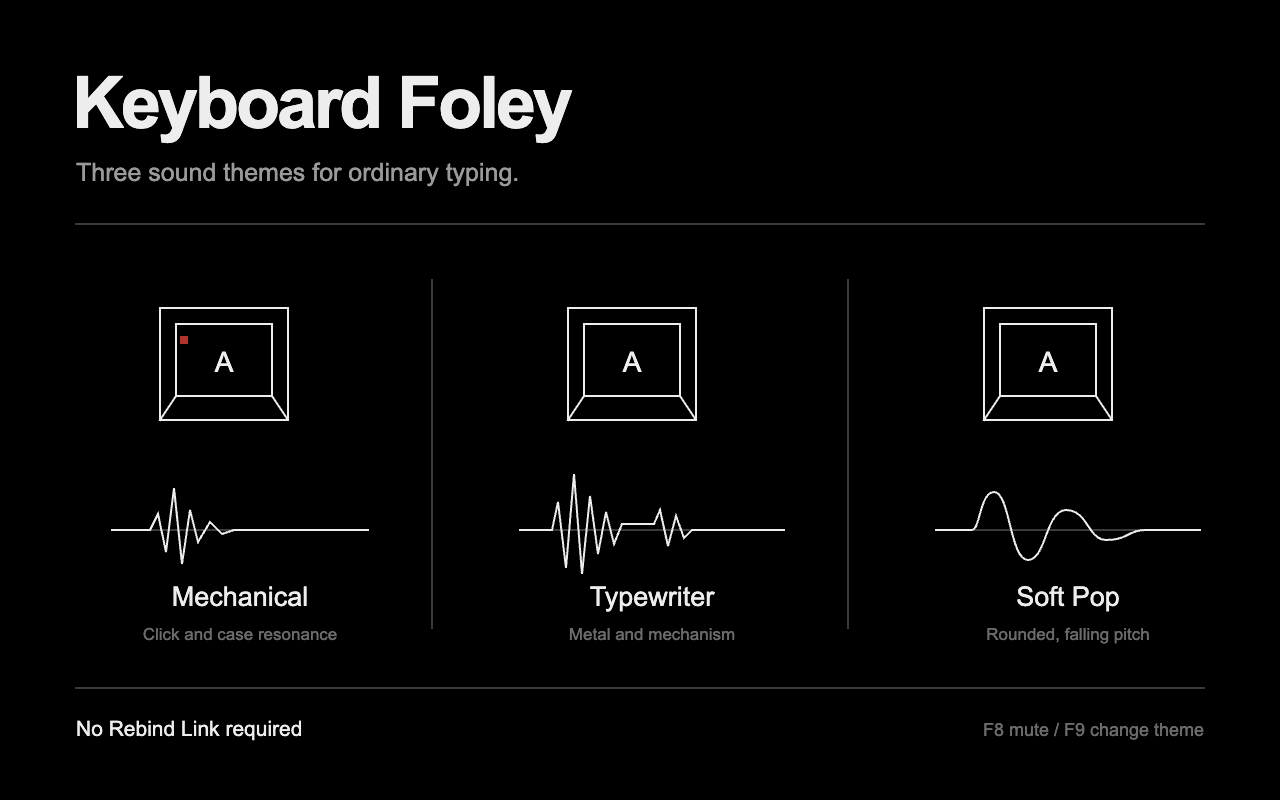
Keyboard Foley preview

Readme

Add sound to ordinary typing with three original synthesized themes. Letters, numbers, punctuation, and Tab use three alternating samples per theme. Space, Enter, and Backspace each have a distinct sound.

ThemeSound design
MechanicalShort switch clicks, a low case resonance, and a light return tick.
TypewriterA sharper impact, metallic resonances, and a two-part mechanism sound.
Soft PopRounded, falling-pitch pops with a muted noise attack.

Start and control

Requires Rebind Engine 3.5.0 or newer on Windows or macOS. Rebind Link is not required. See platform support for capture requirements.

Open the package's main.luau in Rebind and start it from the editor toolbar. For development, run rebind run library/keyboard-foley from the repository root. Open Options to change the theme, volume, or shortcut-sound setting. Settings save automatically and apply while running.

  • F8 mutes or unmutes this package.
  • F9 cycles Mechanical, Typewriter, and Soft Pop.
  • Volume starts at 35%. Set it to 0% for silence.
  • Sound with Ctrl, Alt, Cmd, or Win is off by default. Shifted typing still makes sound.

F8 and F9 are reserved while the script runs, including while muted. Other keys keep their normal behavior. Modifier keys by themselves, navigation keys, function keys, and mouse buttons are silent. Holding a key does not produce a sound for each operating-system repeat.

Stop the script from the editor or press Ctrl+C in its development terminal. To stop every script and release held input, press Left Ctrl + Left Alt + K. Keyboard Foley itself never presses or holds a key.

Samples and privacy

The 18 samples are original procedural synthesis, not recordings or borrowed sound packs. tools/synth.py generates 48 kHz, mono, 16-bit PCM WAV files using only Python's standard library. To regenerate them from the repository root:

python3 library/keyboard-foley/tools/synth.py

The runtime opens only its bundled sounds. It does not save typed text, keep keystroke history, use the clipboard, execute commands, or access the network. Sound plays for captured typing in any application, including password fields; the script cannot identify sensitive fields. Mute it when sound is unwanted.

Limits and verification

At most 12 sounds overlap. If another begins at that limit, the oldest stops. Finished sound handles are released, and muting or stopping ends active sounds. An audio error mutes the package and records the reason in Logs. Correct the problem and press F8 to retry.

Playback uses the host's default audio output. Output-device changes and audio latency need live verification on each platform. Sound quality cannot be established by source checks alone. Listing artwork is an illustration, not a screenshot or evidence of execution.

Reviews

No reviews yet. Write a review in the app.

Source

Version 0.1.0 (current)

README.md

# Keyboard Foley

Add sound to ordinary typing with three original synthesized themes. Letters,
numbers, punctuation, and Tab use three alternating samples per theme. Space,
Enter, and Backspace each have a distinct sound.

| Theme | Sound design |
|---|---|
| Mechanical | Short switch clicks, a low case resonance, and a light return tick. |
| Typewriter | A sharper impact, metallic resonances, and a two-part mechanism sound. |
| Soft Pop | Rounded, falling-pitch pops with a muted noise attack. |

## Start and control

Requires Rebind Engine 3.5.0 or newer on Windows or macOS. Rebind Link is not
required. See [platform support](https://docs.rebind.gg/concepts/platforms)
for capture requirements.

Open the package's `main.luau` in Rebind and start it from the editor toolbar.
For development, run `rebind run library/keyboard-foley` from the repository
root. Open **Options** to change the theme, volume, or shortcut-sound setting.
Settings save automatically and apply while running.

- **F8** mutes or unmutes this package.
- **F9** cycles Mechanical, Typewriter, and Soft Pop.
- **Volume** starts at 35%. Set it to 0% for silence.
- **Sound with Ctrl, Alt, Cmd, or Win** is off by default. Shifted typing
  still makes sound.

F8 and F9 are reserved while the script runs, including while muted. Other keys
keep their normal behavior. Modifier keys by themselves, navigation keys,
function keys, and mouse buttons are silent. Holding a key does not produce
a sound for each operating-system repeat.

Stop the script from the editor or press Ctrl+C in its development terminal.
To stop every script and release held input, press **Left Ctrl + Left Alt + K**.
Keyboard Foley itself never presses or holds a key.

## Samples and privacy

The 18 samples are original procedural synthesis, not recordings or borrowed
sound packs. `tools/synth.py` generates 48 kHz, mono, 16-bit PCM WAV files using
only Python's standard library. To regenerate them from the repository root:

```sh
python3 library/keyboard-foley/tools/synth.py
```

The runtime opens only its bundled sounds. It does not save typed text, keep
keystroke history, use the clipboard, execute commands, or access the network.
Sound plays for captured typing in any application, including password fields;
the script cannot identify sensitive fields. Mute it when sound is unwanted.

## Limits and verification

At most 12 sounds overlap. If another begins at that limit, the oldest stops.
Finished sound handles are released, and muting or stopping ends active sounds.
An audio error mutes the package and records the reason in Logs. Correct the
problem and press F8 to retry.

Playback uses the host's default audio output. Output-device changes and audio
latency need live verification on each platform. Sound quality cannot be
established by source checks alone. Listing artwork is an illustration, not a
screenshot or evidence of execution.

19 files without text previews