marketplace/mouse

Motion Layers

Adjust two mouse response curves with keyboard controls and a cancellable wheel preview.

@rebindv0.1.0free

More install options
$rebind install @rebind/motion-layers

Gallery

Motion Layers preview

Readme

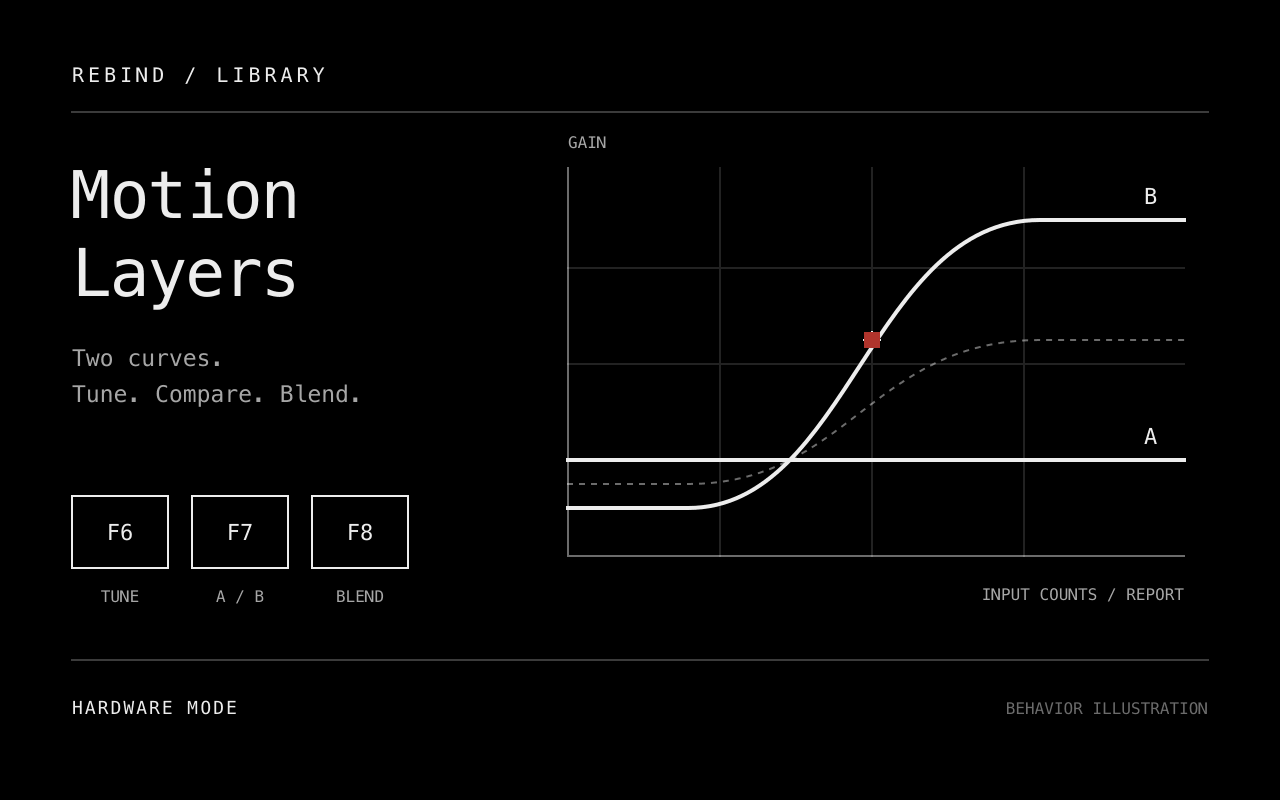
Adjust two mouse response curves while using the mouse. Compare A and B, hold a key to blend between them, or preview changes with the wheel before accepting them.

Setup

This package targets Windows and macOS hardware mode with Rebind Link. Forward the mouse and control keyboard into hardware capture. See platform support for setup requirements. Stop other movement-transform scripts, including Mouse Accelerator, before running this package. Its bypass disables only Motion Layers; another script can still change movement.

Open the package settings to choose control keys and edit Curve A or Curve B. A starts at identity gain and B at half gain. Key changes take effect after restarting the script. Controls accept distinct F1 to F12 keys, letters A to Z, CapsLock, ScrollLock, NumLock, Pause or Menu. The tuning keys below are reserved.

Controls

DefaultAction
Hold F6Preview adjustments to the selected curve.
F6 + 1, 2, 3 or 4Select base gain, knee, transition width or maximum gain. The notification shows the value at selection time. Press the parameter key again to read an adjusted value.
Vertical wheel while F6 is heldAdjust the selected parameter. Vertical wheel events do not reach the application during the preview.
Release F6Apply changed fields through the normal settings persistence path.
Escape during previewCancel. Releasing F6 afterward does not apply anything.
F7Switch the selected A/B curve.
Hold F8Blend toward the other curve over the configured duration.
Release F8Blend back from the current blend position.
F9Toggle Motion Layers bypass immediately.

Entering tuning cancels blending. F7 and new F8 presses are ignored until the tuning key is released. F7 is also ignored while F8 is held. Starting another blend requires a fresh press. Bypass, deactivation and stop discard an unfinished preview. A release missed during settings key capture cancels the preview when the script next observes the key as released.

If the selected curve changes in the settings panel during tuning, acceptance cancels rather than replacing those newer values. Changes to unrelated settings remain. Wheel previews stay in memory. Accepted fields use the existing settings store, which does not confirm disk durability or write all changed fields atomically.

Response curve

Each slot has four controls:

ParameterMeaningRange
Base gainOutput/input multiplier below the knee.0.05 to 10
KneeInput magnitude at which acceleration begins.0 to 1000 counts/report
Transition widthInput magnitude interval over which gain rises.0.1 to 1000 counts/report
Maximum gainMultiplier reached above the transition. Must be at least base gain.0.05 to 10

Gain follows a smoothstep transition between base and maximum. Equal gains give constant sensitivity. One gain applies to both axes, preserving direction before integer rounding. Fractional movement carries into the next event. Blend duration ranges from 0 to 2000 ms; zero changes immediately. Timed blends start at the next script tick boundary. Ticks alone never generate movement.

The input is movement magnitude per delivered report, not velocity. DPI and polling-rate changes may require retuning. Relative output counts do not guarantee exact screen-pixel movement because OS and application handling also affect the result. Invalid curve values, blend duration, selected slot or enable state bypass the transform until corrected and produce one notification per invalid episode. Invalid control keys prevent startup and require correction before restarting.

Development status

Source prepared. Offline package and mock-runtime checks cover curve response, control ordering and settings persistence. Native Windows/macOS capture, hardware loss, report-rate comparisons and the rendered settings panel remain unverified. The cover and icon are generated behavior illustrations, not screenshots or execution evidence. Marketplace submission still requires live verification and review.

From the repository root:

rebind check library/motion-layers
rebind lint library/motion-layers
stylua --check library/motion-layers
cargo test -p gp-lua-sdk --features audio --test integration

Use the library release workflow for publication and acquisition checks.

Reviews

No reviews yet. Write a review in the app.

Source

Version 0.1.0 (current)

README.md

# Motion Layers

Adjust two mouse response curves while using the mouse. Compare A and B, hold a key to blend between them, or preview changes with the wheel before accepting them.

## Setup

This package targets Windows and macOS hardware mode with Rebind Link. Forward the mouse and control keyboard into hardware capture. See [platform support](https://docs.rebind.gg/concepts/platforms) for setup requirements. Stop other movement-transform scripts, including Mouse Accelerator, before running this package. Its bypass disables only Motion Layers; another script can still change movement.

Open the package settings to choose control keys and edit Curve A or Curve B. A starts at identity gain and B at half gain. Key changes take effect after restarting the script. Controls accept distinct F1 to F12 keys, letters A to Z, CapsLock, ScrollLock, NumLock, Pause or Menu. The tuning keys below are reserved.

## Controls

| Default | Action |
|---|---|
| Hold F6 | Preview adjustments to the selected curve. |
| F6 + 1, 2, 3 or 4 | Select base gain, knee, transition width or maximum gain. The notification shows the value at selection time. Press the parameter key again to read an adjusted value. |
| Vertical wheel while F6 is held | Adjust the selected parameter. Vertical wheel events do not reach the application during the preview. |
| Release F6 | Apply changed fields through the normal settings persistence path. |
| Escape during preview | Cancel. Releasing F6 afterward does not apply anything. |
| F7 | Switch the selected A/B curve. |
| Hold F8 | Blend toward the other curve over the configured duration. |
| Release F8 | Blend back from the current blend position. |
| F9 | Toggle Motion Layers bypass immediately. |

Entering tuning cancels blending. F7 and new F8 presses are ignored until the tuning key is released. F7 is also ignored while F8 is held. Starting another blend requires a fresh press. Bypass, deactivation and stop discard an unfinished preview. A release missed during settings key capture cancels the preview when the script next observes the key as released.

If the selected curve changes in the settings panel during tuning, acceptance cancels rather than replacing those newer values. Changes to unrelated settings remain. Wheel previews stay in memory. Accepted fields use the existing settings store, which does not confirm disk durability or write all changed fields atomically.

## Response curve

Each slot has four controls:

| Parameter | Meaning | Range |
|---|---|---|
| Base gain | Output/input multiplier below the knee. | 0.05 to 10 |
| Knee | Input magnitude at which acceleration begins. | 0 to 1000 counts/report |
| Transition width | Input magnitude interval over which gain rises. | 0.1 to 1000 counts/report |
| Maximum gain | Multiplier reached above the transition. Must be at least base gain. | 0.05 to 10 |

Gain follows a smoothstep transition between base and maximum. Equal gains give constant sensitivity. One gain applies to both axes, preserving direction before integer rounding. Fractional movement carries into the next event. Blend duration ranges from 0 to 2000 ms; zero changes immediately. Timed blends start at the next script tick boundary. Ticks alone never generate movement.

The input is movement magnitude per delivered report, not velocity. DPI and polling-rate changes may require retuning. Relative output counts do not guarantee exact screen-pixel movement because OS and application handling also affect the result. Invalid curve values, blend duration, selected slot or enable state bypass the transform until corrected and produce one notification per invalid episode. Invalid control keys prevent startup and require correction before restarting.

## Development status

Source prepared. Offline package and mock-runtime checks cover curve response, control ordering and settings persistence. Native Windows/macOS capture, hardware loss, report-rate comparisons and the rendered settings panel remain unverified. The cover and icon are generated behavior illustrations, not screenshots or execution evidence. Marketplace submission still requires live verification and review.

From the repository root:

```sh
rebind check library/motion-layers
rebind lint library/motion-layers
stylua --check library/motion-layers
cargo test -p gp-lua-sdk --features audio --test integration
```

Use the [library release workflow](../README.md) for publication and acquisition checks.