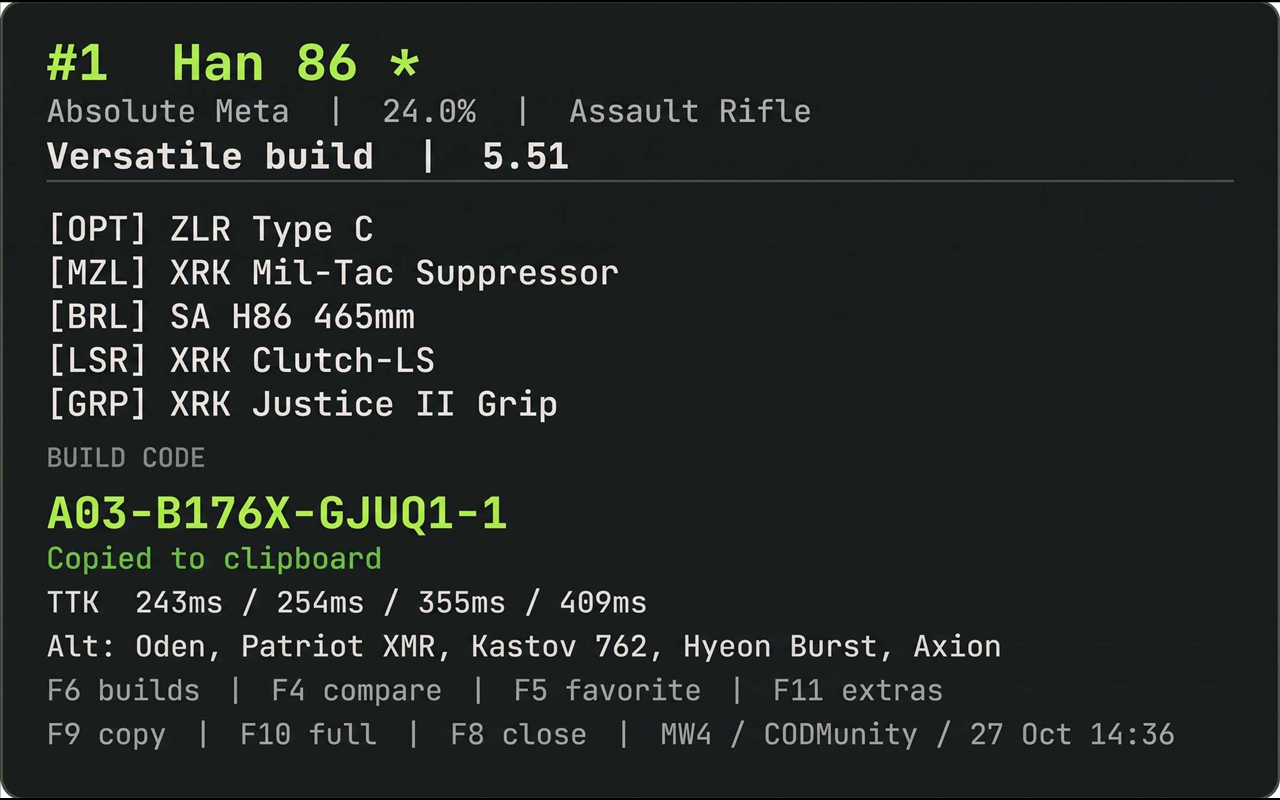
An in-game CoD meta panel for Rebind. It reads the public CODMunity weekly meta page, each weapon's public loadout page, and the public weapon database, then shows the current top 10 without taking focus away from the game.
Version 1.3 is the "power pack" build: saved builds, setup tools, history, themes, HUD styles, and a full compare workflow.
Core
- Games: Warzone, MW4, Warzone Ranked, and BO7 from the Game selector.
- Full build picker (F6): every build on the page, with playstyle, rating,
code, and slot-labelled attachments. Builds show
PIN,FAV, and!markers for pinned, favorited, and validation-flagged builds. - Search palette (F2): fuzzy search over the 447-entry CODMunity weapon database. Results are prioritised for the current game; Search scope can restrict them to the selected game. Weapons outside the top 10 load on demand.
- Favorites and recent: favorite weapons with F5; the View option switches between meta, favorites, and recent.
- Filter and sort: filter by AR, SMG, sniper, LMG, shotgun, or pistol; sort by meta rank, pick rate, or name.
- Copy: build code with F9, full loadout with F10, or use the copy-format menu for code-only, short, Discord, and CSV output. Copied text omits the source credit; attribution stays here.
- Cache age: the menu subtitle and detail footer show the last update time.
- Weekly changes: new entries, drops, rank moves, tier moves, and pick-rate moves.
- Weekly history: the last eight weekly snapshots are kept; Extras > Meta history shows the top three for each week, and the detail panel shows a rank-history line.
- Watchlist alerts: on refresh, favorite weapons that drop or change tier produce a watchlist toast.
Compare
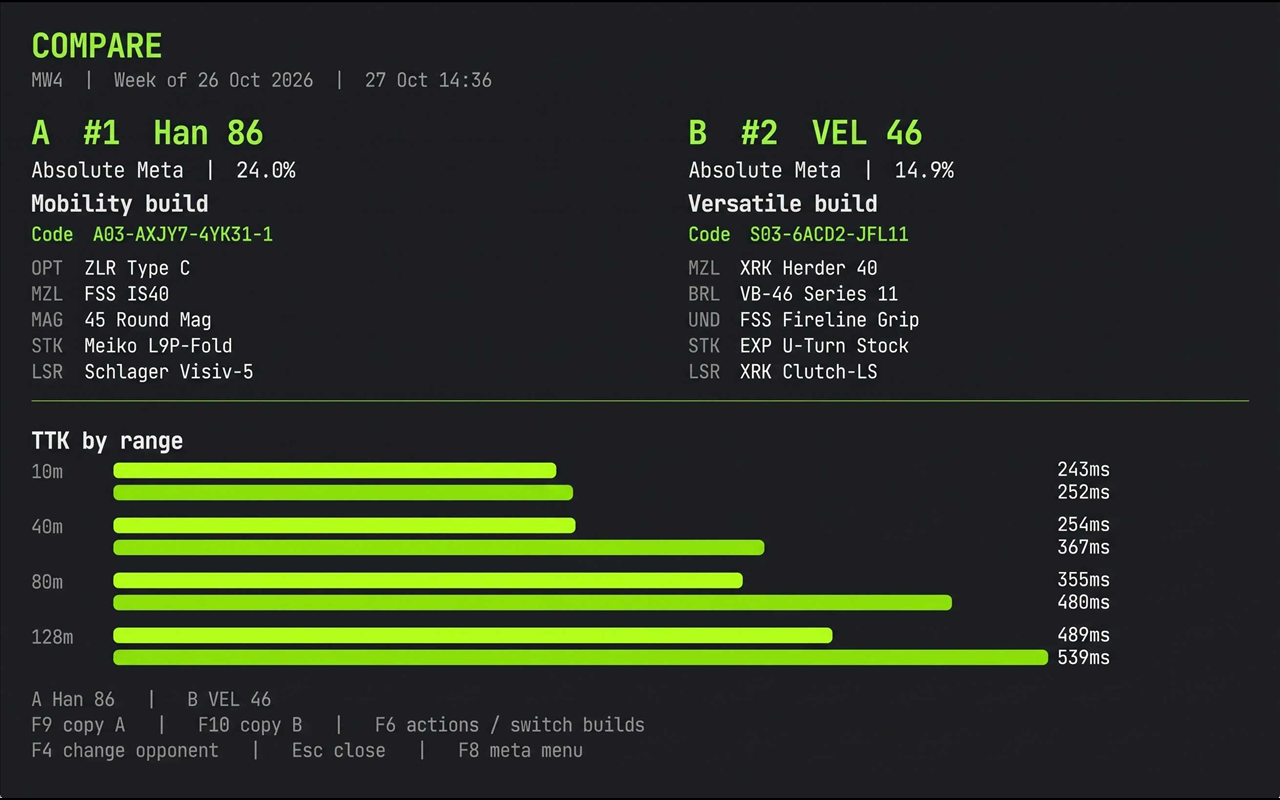
- F4 opens an opponent picker for the last selected weapon.
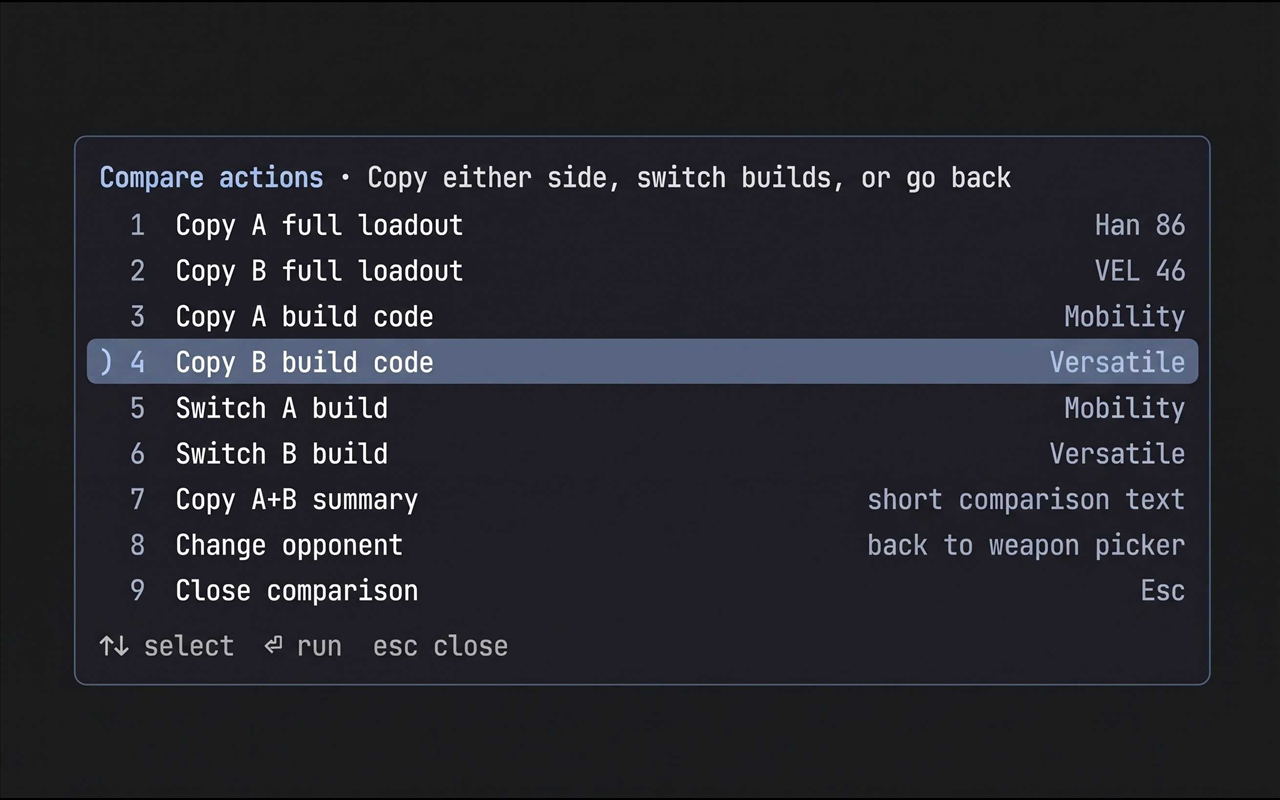
- F6 opens compare actions:
- copy A or B full loadout
- copy A or B build code
- switch A or B build
- copy an A+B summary
- change opponent
- close
- F9 copies A's full loadout; F10 copies B's full loadout while a comparison is open.
- Esc closes the comparison; F8 returns to the meta menu.
- Build duel (Extras) compares two builds of the same weapon.
- Top 3 compare (Extras) shows a compact A/B/C code-and-TTK overview.
Saved setup and extras
Press F11 for the Extras hub:
- Help / hotkeys
- Meta history
- Build duel
- Loadout plan (primary / secondary / backup, copy all three codes)
- Clipboard history (last six copies)
- Favorite builds
- Pin current build / clear pin
- Favorite current build
- Tags (Meta, Tested, Ranked, Fun, Laser, Off-meta)
- Why this build? (metadata-derived rating, validation, history, alternatives)
- Random meta pick
- Copy formats
- Export setup / Import setup
- Top 3 compare
Pinned builds become the default for that weapon. Favorite builds, tags, plans,
pins, favorites, recents, and clipboard history are stored in user_state.json.
Export/import writes meta_overlay_setup.json.
Detail panel
Shows the current build, pinned marker, tags, slot-labelled attachments, build code, TTK, rank history, alternatives, and a warning if the build has fewer than five attachments, duplicate slots, or no code.
Hotkeys
| Key | Action |
|---|---|
| F1 | Help / hotkeys |
| F2 | Search the weapon database |
| F3 | Toggle the top-3 HUD |
| F4 | Pick or change the comparison opponent |
| F5 | Add or remove the selected weapon from favorites |
| F6 | Build picker; during compare, compare actions |
| F7 | Force a refresh |
| F8 | Open or close the meta menu |
| F9 | Copy the selected build code; during compare, copy A full loadout |
| F10 | Copy the full loadout; during compare, copy B full loadout |
| F11 | Extras menu |
| Up / Down | Move through a menu or search results |
| Enter / 1-9 | Select an item |
| Escape | Close the current menu, search, help, or comparison |
Hotkeys are global in this build; per-game key profiles are not included yet. All hotkeys can be changed in Options.
Options
- Game, View, Category, Sort
- Theme: default, contrast, mono
- HUD style: full, compact, codes, off
- HUD position: any corner
- HUD size: small, normal, large
- Search scope: all weapons or current game
Games and data coverage
- Warzone / MW4: tier, pick rate, TTK, build, attachments, alternatives, and code are shown.
- Warzone Ranked / BO7: the mode-specific top 10 and correct build codes/attachments are shown. CODMunity's weapon FAQ still labels its tier and pick-rate answers as Warzone, so those modes show rank, build, and rating instead of a misleading mode tier.
Warzone and MW4 ship with prebuilt caches. Warzone Ranked and BO7 build their
cache on the first switch. Attachment slot labels come from the page; older
caches with only names infer the slot from the name so comparison does not fall
back to repeated ATT labels.
First run and data flow
A full refresh makes one request for the weekly index, one for the report, one
for each of the 10 weapon pages, and, when stale, one request for the public
weapon database. A successful refresh writes the appropriate cache file next to
main.luau. Refreshes use the public pages, not codmunity.gg/api/, which their
robots.txt disallows.
Files:
meta_cache.json- Warzonemeta_cache_mw4.json- MW4meta_cache_wz_ranked.json- Warzone Ranked (created on first switch)meta_cache_bo7.json- BO7 (created on first switch)weapon_index.json- searchable weapon databaseuser_state.json- favorites, recents, pins, tags, plan, HUD preference, clipboard history, search historymeta_overlay_setup.json- optional export/import file
Limits
- Borderless or windowed fullscreen is required. Exclusive fullscreen hides Rebind overlays.
- The overlay is keyboard-driven and click-through. It cannot render weapon images or HTML.
- Build codes are copied as text; they are not pasted into the game.
- There is no game auto-detection, loadout-screen scanning, AI image recognition, OBS/HTML overlay, or phone/remote view in this build.
- Free-text build notes are not included; tags cover quick labeling.
- Hotkeys are global; per-game hotkey profiles are not included.
Data and attribution
Meta data and build codes come from CODMunity. This is an unofficial companion and is not affiliated with CODMunity or Call of Duty. Keep refreshes reasonable, credit the source, and ask CODMunity before redistributing their data in a public listing.
Requirements
- Rebind 3.9.0 or newer
- Network permission for
codmunity.gg - Clipboard write permission
The script does not read game memory, inject into the game, or modify game files.