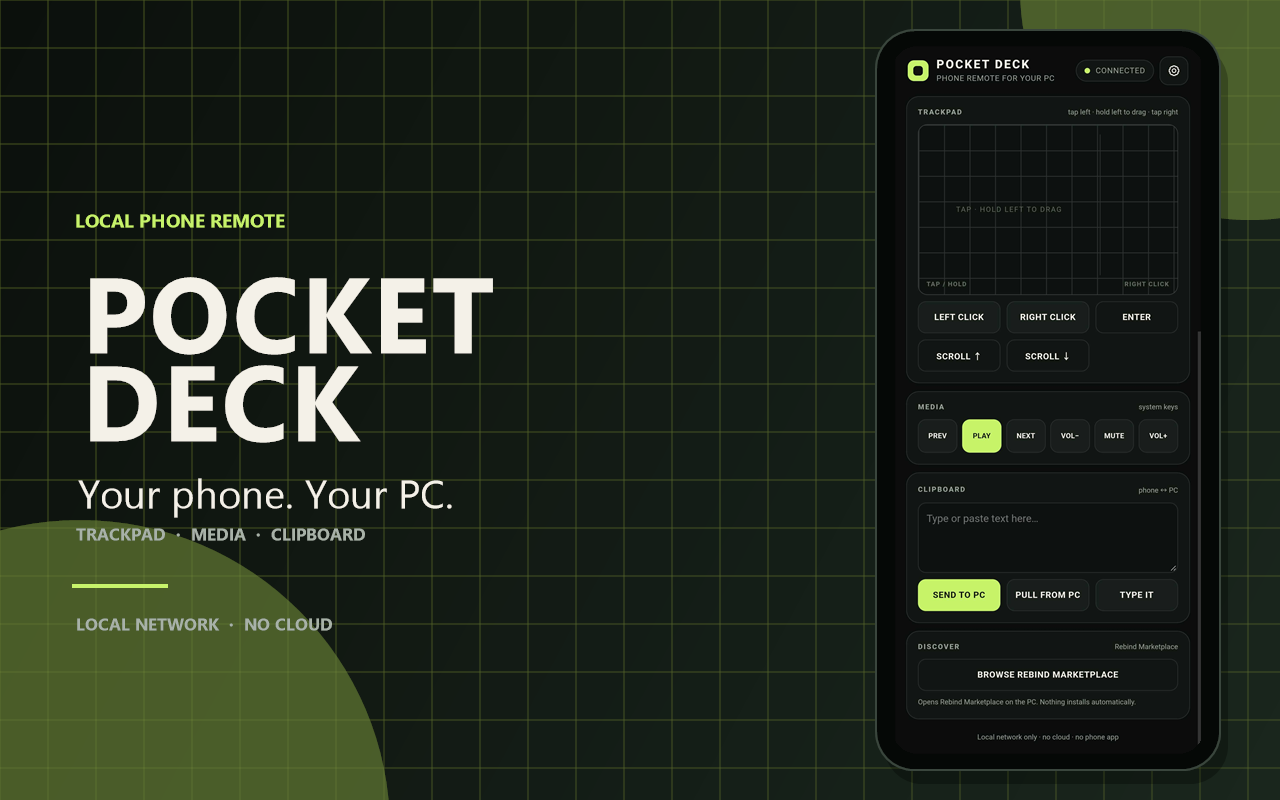
Use your phone as a trackpad, media remote, and clipboard bridge for your PC.
Pocket Deck serves a small phone page from your PC. The phone opens it in a browser, enters an access token once, and then controls the desktop over your local network.
No phone app. No account. No cloud service.
What it does
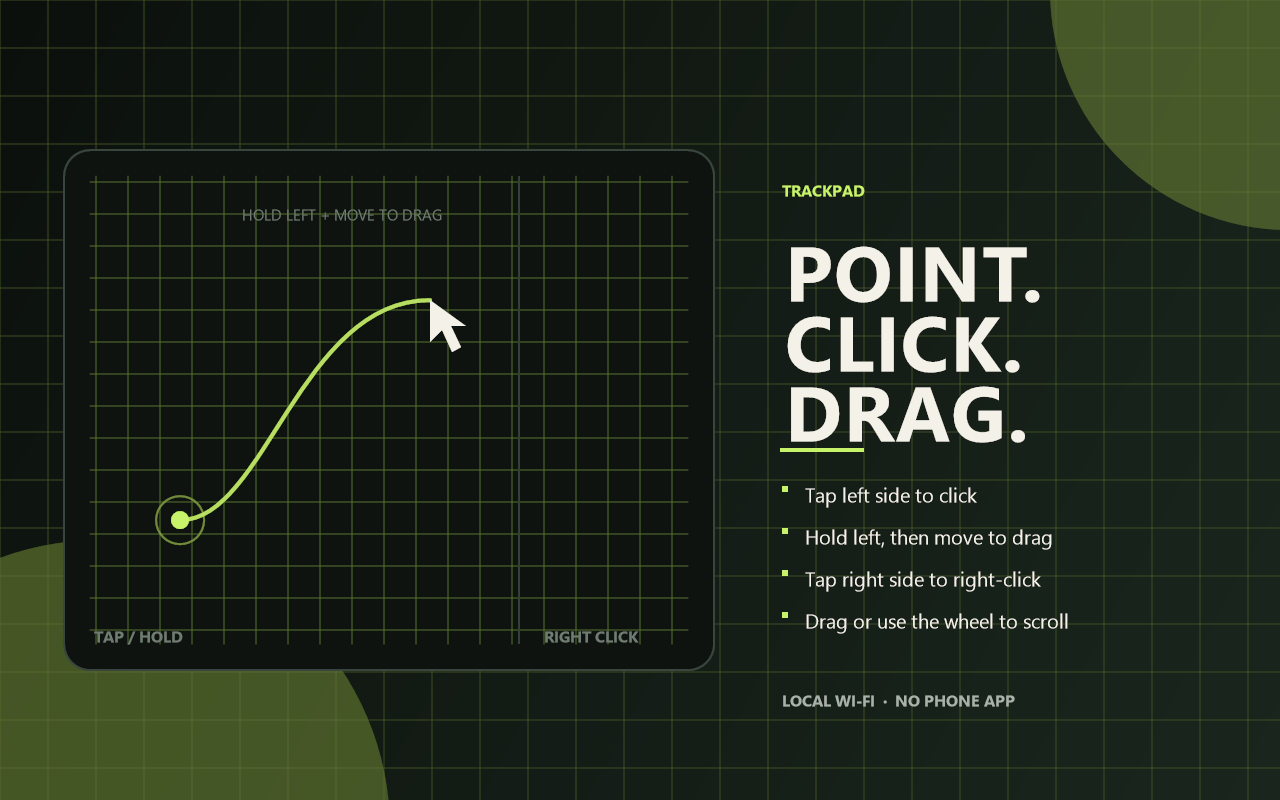
- Trackpad — left side: tap to click, press and hold to drag; right side: tap to right-click; drag to move the pointer and scroll.
- Media row — play/pause, previous, next, mute, volume up/down.
- Clipboard bridge
- type or paste text on the phone and send it to the PC clipboard
- pull the PC clipboard onto the phone
- type the text into the focused PC window
- Marketplace shortcut — one button opens Rebind Marketplace on the PC.
- Access token — required before the phone can send commands.
- Local only — the phone page and control socket are on your LAN.
Requirements
- Windows with PowerShell (built into Windows)
- Rebind 3.9.0 or newer
- Phone and PC on the same Wi-Fi or LAN
- Rebind permissions: net and exec
- Rebind may also ask for overlay-related permissions for the startup toast
- Firewall permission for the page server
Setup
- Install Pocket Deck and start it.
- Open Rebind → Options → Pocket Deck.
- Copy the Phone access token. A random token is generated if the field is blank.
- On the PC, find the local IPv4 address:
Look foripconfigIPv4 Addresson the Wi-Fi/Ethernet adapter. - On the phone, open:
Example:http://<PC-IP>:19880http://192.168.1.24:19880The PC address is filled from the page address automatically. - Tap the status pill at the top, enter the token, and connect. The phone
stores it, so the connection panel does not reopen while you use the
trackpad. If you prefer a one-time pairing link, append the token to the URL
fragment:
The fragment stays on the phone and is removed after the page stores it.http://<PC-IP>:19880/#token=<token> - Allow the page through Windows Firewall if prompted.
The WebSocket uses port 19881 by default. Use the status pill or settings gear whenever you need to change the address or token.
Marketplace shortcut
Tap BROWSE REBIND MARKETPLACE on the phone to open Rebind Marketplace on
the PC (rebind://marketplace). Rebind deliberately does not let the link
install anything on its own; the marketplace opens and you choose what to
install.
Pocket Deck remains a standalone trackpad, media, and clipboard remote.
Security
This is a local-network tool, not an internet service.
- The page is served over plain HTTP. Do not expose ports 19880 or 19881 to the internet.
- The token protects the control socket, not the page itself.
- The phone page has no
exec,file,registry, orlua.execcommands. execis used only to start and stop the included PowerShell page server and to open the fixedrebind://marketplacedeep link.- The server serves one file (
phone/index.html) and nothing else. - On a shared or untrusted network, stop the script when you are not using it.
- Anyone who can read the phone page can see the UI, but cannot send commands without the token.
How the pieces fit
Phone browser
  ├── HTTP :19880  →  included PowerShell static page server
  └── WS   :19881  →  Rebind Pocket Deck script
                         ├── HID
                         ├── clipboard
                         ├── system.type_text
                         └── Rebind shortcuts
The HTTP server is a small included PowerShell script. It is not a general web server and does not serve arbitrary files.
Limits
- Windows only; the page server uses PowerShell.
- The phone must be on the same network as the PC.
- HTTP and WebSocket traffic are not encrypted.
- No phone notifications (
rb.phoneis still a stub). - No screen mirroring or camera/mic access.
- No public-internet remote access.
- The page is a control surface; it does not run Rebind scripts on the phone.
- The phone page is not a native app and has no offline mode.
Troubleshooting
The phone cannot open the page
- Check that the phone and PC are on the same Wi-Fi.
- Allow PowerShell through the Windows firewall.
- Confirm the PC IP with
ipconfig. - Stop any other program using ports 19880 or 19881.
The page opens but commands do nothing
- Open the phone settings and check the token.
- Make sure the Pocket Deck script is running.
- Confirm the WebSocket port is 19881.
The page disconnects
The page reconnects automatically. If it stays offline, restart Pocket Deck and check the firewall.
Privacy
Pocket Deck does not capture the screen, read the clipboard unless you press the clipboard buttons, or send data to a cloud service. All traffic stays on your local network.
Pocket Deck v1.0.0 — your phone, at your desk.