
Play piano notes with your keyboard. Hold several keys for a chord; notes fade when you let go. A game page in your browser teaches five songs.
Needs Rebind 3.5.0 or newer on Windows or macOS. Rebind Link is not required. The package asks for network access to serve the game page and permission to open your browser. Played live on macOS; Windows use remains unverified.
Keys
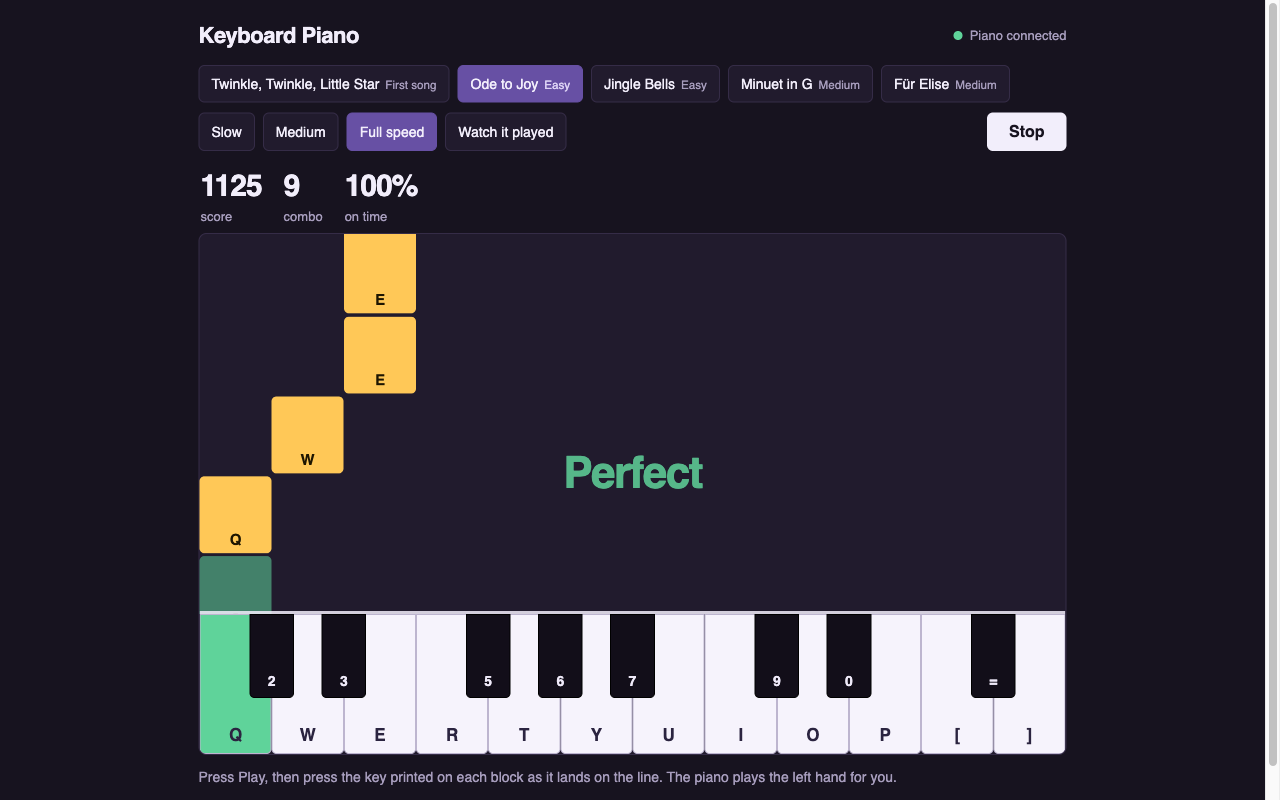
White notes use the Z and Q rows. Black notes use the row above each.
| Notes | White keys | Black keys |
|---|---|---|
| C3 to E4 | Z X C V B N M , . / | S D G H J L ; |
| C4 to G5 | Q W E R T Y U I O P [ ] | 2 3 5 6 7 9 0 = |
| Key | Action |
|---|---|
| Space | Keep released notes ringing until you let go |
| Left / Right | Shift down / up an octave, one octave either way |
| F9 | Play or stop the chosen song; you can play along |
| F8 | Turn the piano off so keys type again, or back on |
Shortcuts with Ctrl, Alt, or Cmd/Win keep working.
Learn a song
Starting the script opens http://localhost:47800 in your browser. Press the key shown on each falling block as it reaches the line. Play the melody while the piano plays the left hand, or choose Watch it played to hear both. Choose a speed; the page keeps your best score for each song and speed.
Choose from Twinkle, Twinkle, Little Star; Ode to Joy; Jingle Bells; Minuet in G; and Für Elise. These public-domain songs fit the upper key row without shifting octaves. F9 plays the song selected on the page.
Settings
In Options:
- Keys: change the five controls above, then restart.
- Sound: Note volume and Damper: how long a released note takes to die away.
- Game: Serve the game page at http://localhost:47800 and Open the game page when the script starts.
Privacy and limits
- The game makes no outgoing network connections.
- The page is available only on this computer, but other devices on your local network can connect to port 47801, receive played notes, and choose, start, or stop songs. Turn off Serve the game page and restart to close both.
- Every note has the same loudness. Some keyboards cannot register certain chords of three or more keys.
- Sounds are synthesized, not recordings of an instrument.
Stop
Stop from the editor toolbar, or press Left Ctrl + Left Alt + K (Left Control + Left Option + K on macOS) to stop all scripts. Stopping ends every sound.