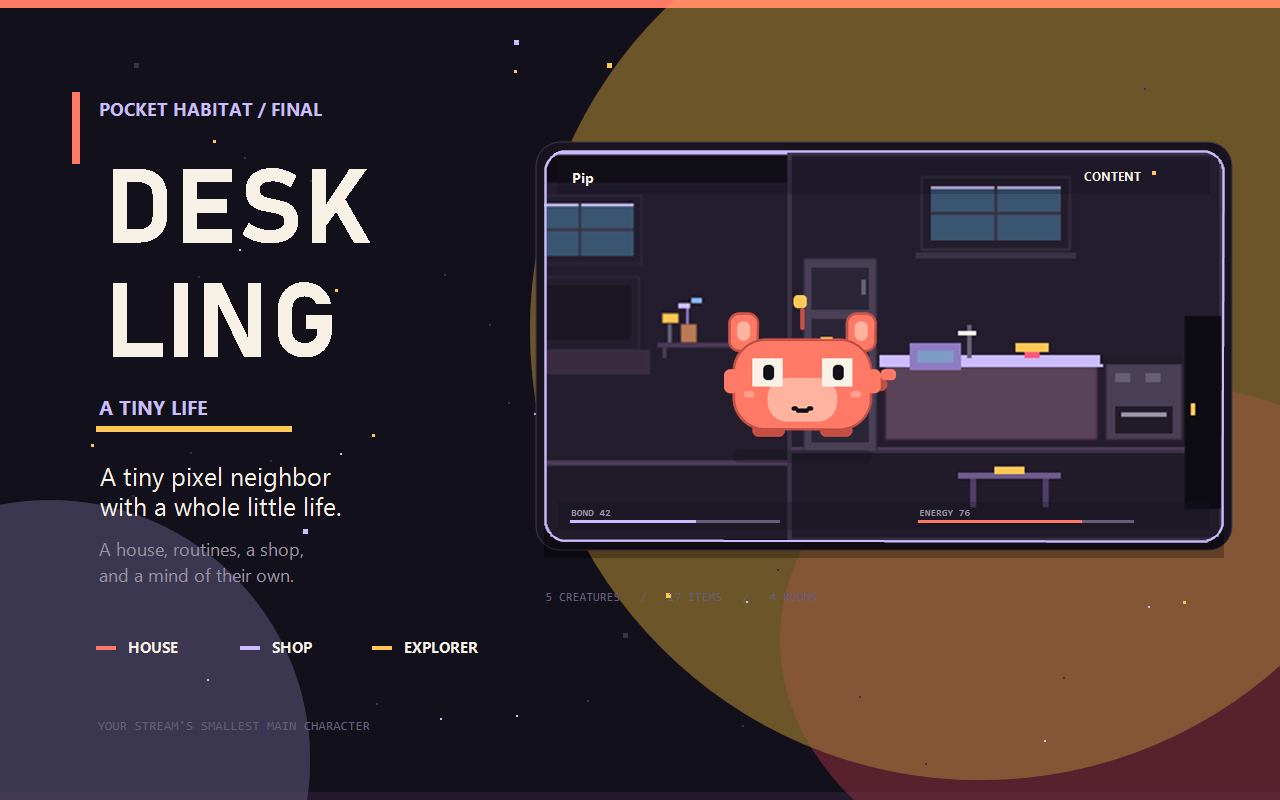
Your stream's smallest main character.
Deskling is a cozy pixel neighbor who lives in the corner of your screen. They blink, stretch, follow your cursor, react when you type, wander through rooms, use the furniture you place, and fall asleep when you leave them alone. They remember their energy, bond, boop count, items, current room, and last position between runs.
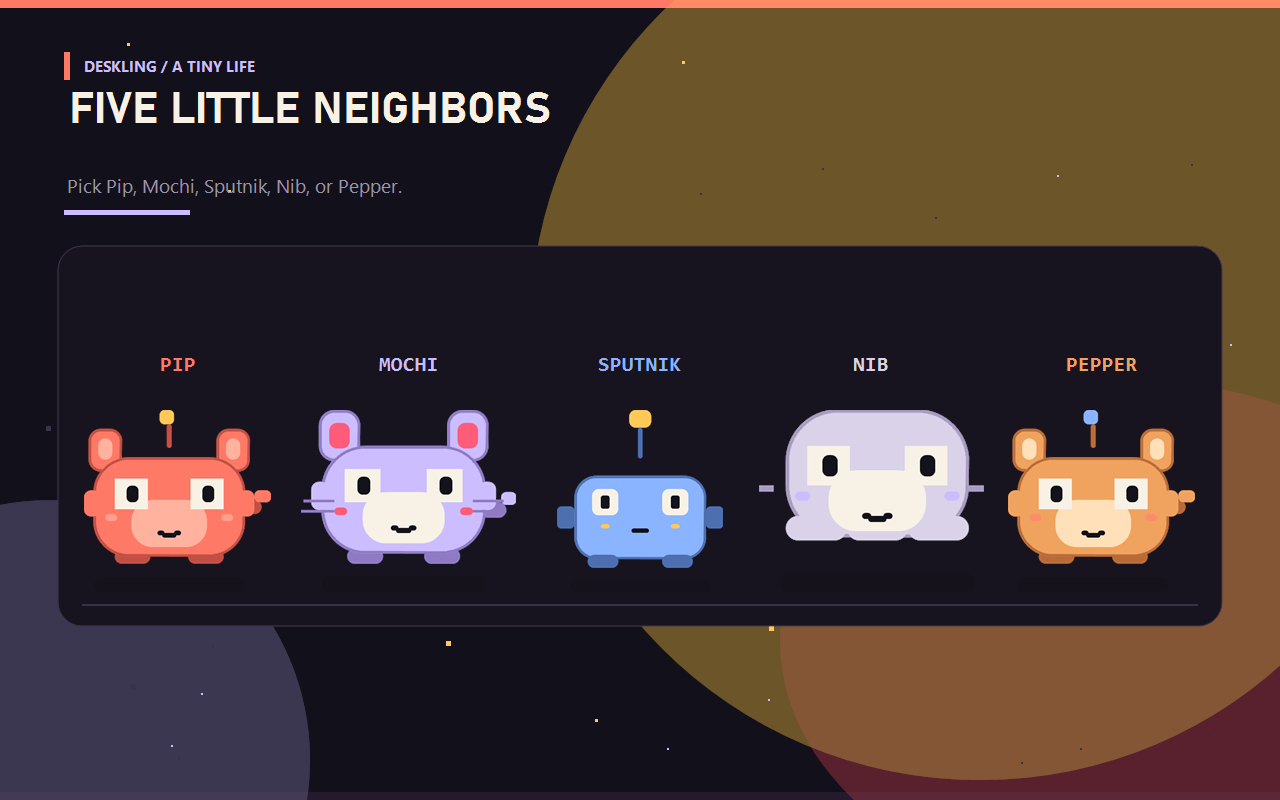
Choose Pip, Mochi, Sputnik, Nib, or Pepper. Choose a Glass panel, a solid Card, or None for a completely transparent pet with no background at all.
No runtime image assets. No network. No screenshots. Just pixel blocks and a little personality.
Your stream's smallest main character
Deskling is designed for the corner of a stream: quiet enough to sit beside your game, alive enough that chat notices. It does not need commands, a browser, or a connection. It wakes up, checks its needs, reads, watches TV, showers, visits the Yard, Park, and Town, and occasionally decides it has had enough of your cursor.
Viewers get a tiny ongoing story. You get a living corner that does not take over the screen.
Quick start
- Start Deskling. It appears in the bottom-right corner.
- Press Ctrl+Alt+Shift+D to open the habitat menu.
- Press Ctrl+Alt+Shift+B for a quick boop.
- Open the menu, choose Shop, and spend bond on a toy, clothing, pond, bed, or home.
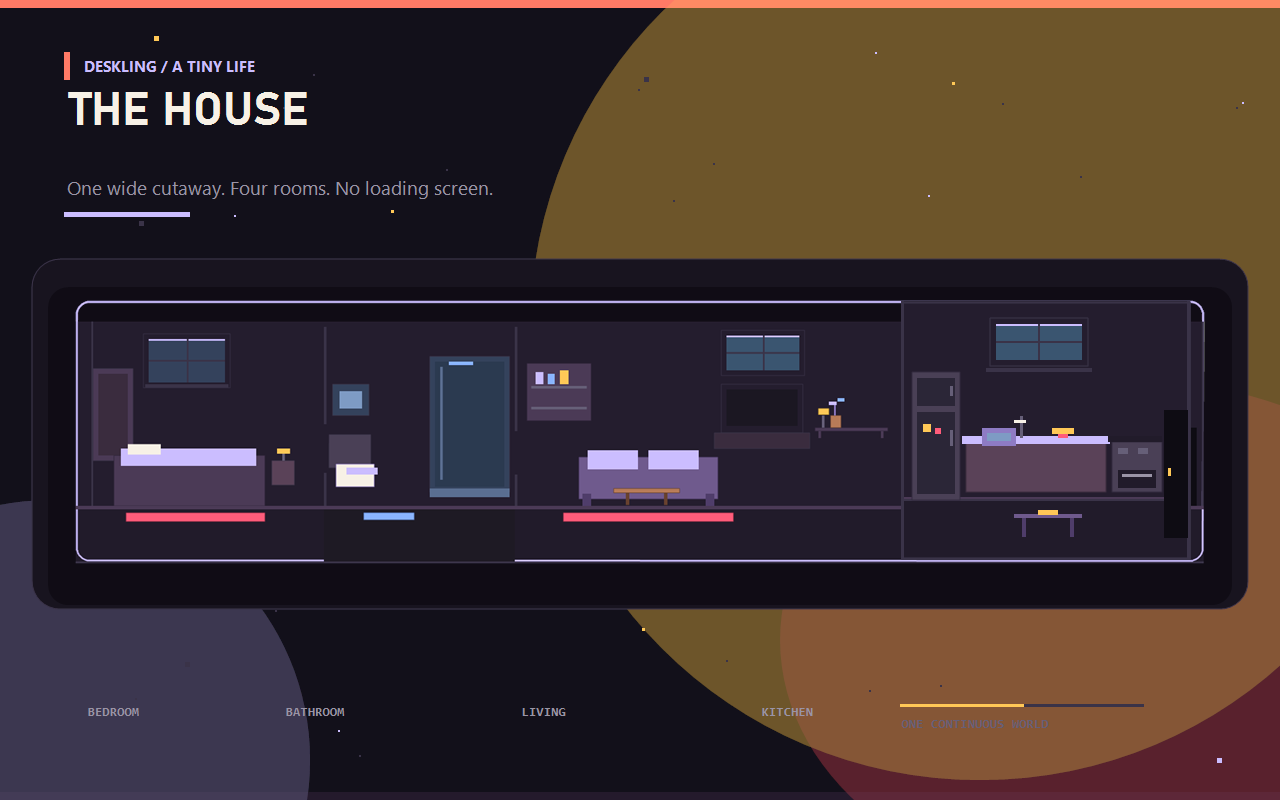
- Choose Explore to visit the House, Kitchen, Park, or Town. The House is one wide room with a bedroom, bathroom, living room, and kitchen nook.
- Choose Desk to toggle Explorer, Desktop only, change wandering, or hide.
- Explorer periodically takes it to another location even while you work. It treats the House as part of the whole world and can choose Yard, Park, or Town.
Controls
| Input | Action |
|---|---|
| Ctrl+Alt+Shift+D | Open the habitat menu. Also brings Deskling back after hiding. |
| Ctrl+Alt+Shift+B | Boop: +2 bond and a little heart animation. |
| Menu → Care | Boop, snack, toilet, shower, nap/wake, and spin. |
| Menu → Play | Use a toy, drink from the pond, or watch TV. |
| Menu → Shop | Opens the tabbed item shop. |
| Menu → Explore | Travel to the Yard, House, Kitchen, Park, or Town. |
| Menu → Yard / Room | Weather and outdoor actions, or interior shop and door. |
| Menu → Desk | Explorer, Wander, Desktop only, and Hide. |
| Menu → Watch TV | Walks to the TV and watches for about 15 seconds. |
| Menu → Desktop only | Keeps the overlay visible only while the desktop is focused. |
| Menu → Back | Returns from a submenu to the main menu; Close/Esc exits. |
Both hotkeys are configurable.
What it does
- Blinks on a loose, slightly random rhythm.
- Looks around with pupils that follow your cursor.
- Wiggles when you type; a small
!appears above it. - Stretches every so often when it is awake.
- Wanders slowly around the current room, following a random target.
- Changes scene through doors: Yard, House, Kitchen, Park, and Town. The surface stays anchored bottom-right; wide rooms use an internal camera so the window itself never jumps across the desktop.
- Weather in outdoor rooms: drifting clouds, a pixel sun, grass along the floor, and rain that arrives on its own. There is no manual rain switch.
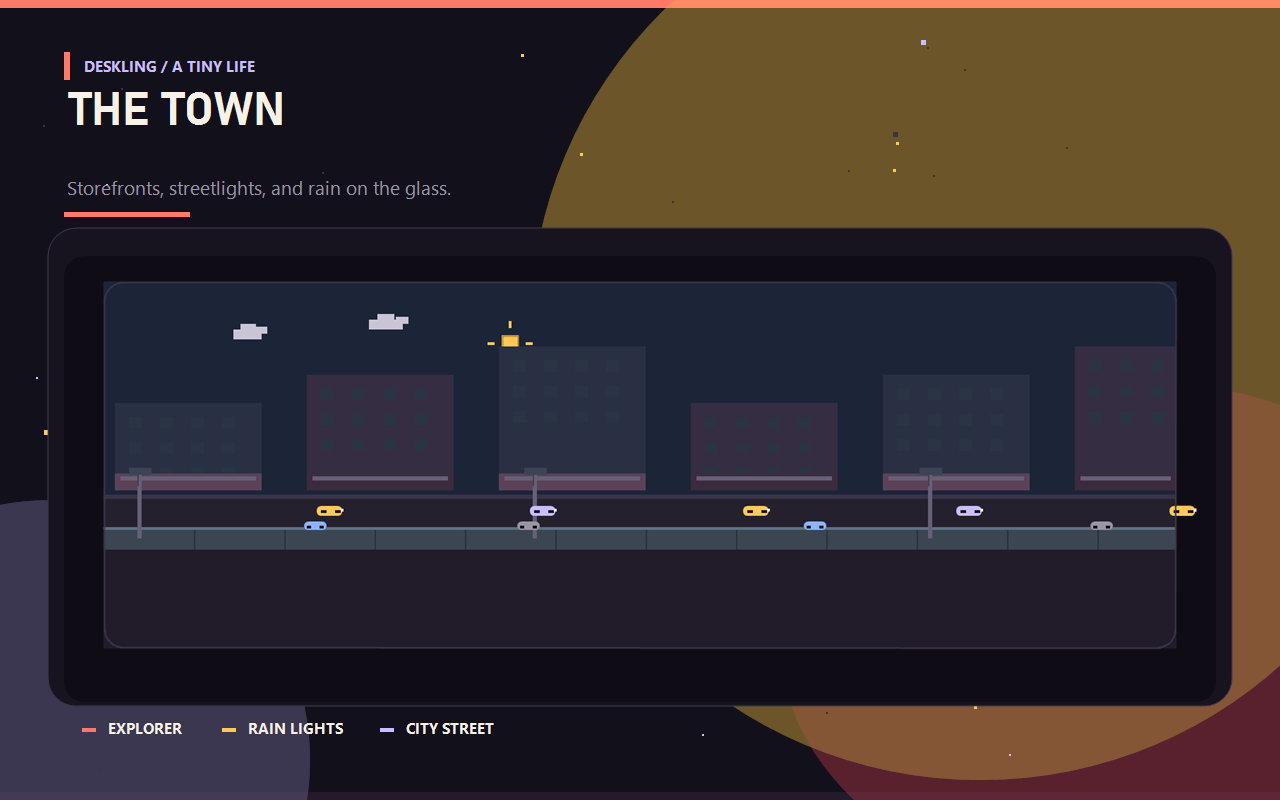
- Town lights stay off while the sun is out and switch on when rain hides it; the storefront windows and streetlights warm up together.
- Spins every so often, drawing a small orbit of three sparks.
- Jumps when booped or fed.
- Naps after two minutes without input. With the house, it walks inside
first; otherwise it sleeps where it is.
z z zappears and energy recovers. - Reacts to a boop with floating pixel hearts.
- Thinks in a little thought bubble about a ball, water, a home, a snack, or play.
- Uses owned items — bounces the ball, throws the frisbee, rides the skateboard, drinks from the pond, sleeps in a box/bed/house, and wears a crown, beanie, glasses, or scarf. Owned items are equipped and unequipped from the shop; an unequipped item is stored, not drawn. The house is the outside building; bed/box and clothing are equipped separately.
- Reads a book — walks to the shelf, takes a book, carries it to the sofa, sits, and shows changing words in the thought bubble.
- Random interactions walk Pip to placed furniture and toys: the ball, skateboard, frisbee, pond, TV, sofa, rug, shelf, lamp, plant, kitchen counter, toilet, shower, the house windows and entry, the park bench, and town window-shopping. Unequipped items are stored and never used by the random scheduler. The scheduler is more active now: about every 12–24 seconds.
- Explorer is on by default. Every 2–4 minutes it picks any valid location: Yard, House, Park, or Town. The House is part of the whole world, so inside it can choose Yard, Park, or Town directly. It does not need you to be AFK. It pauses only while the menu is open, asleep, transitioning, or actively reading, watching TV, or using the bathroom. Choose Desk → Explorer to turn it off.
- Auto-plays the equipped toy after a while. The skateboard gets a real ride across the yard; the ball bounces beside Pip.
- Desktop only uses the focused window. It hides over normal apps and games and returns when the desktop is focused.
- Remembers bond wallet, lifetime bond level, items, energy, boop count,
current room, and last position in
deskling.json.
Bond and the shop
There are two bond numbers:
- Bond wallet — earned points you can spend.
- Bond level — lifetime earned bond. Spending never lowers it.
Earn wallet bond from boops (+2), snacks (+1), play (+4), drinks (+1), and the first visit of the day (+3). Levels are NEW → PAL (25) → BUDDY (75) → KIN (150).
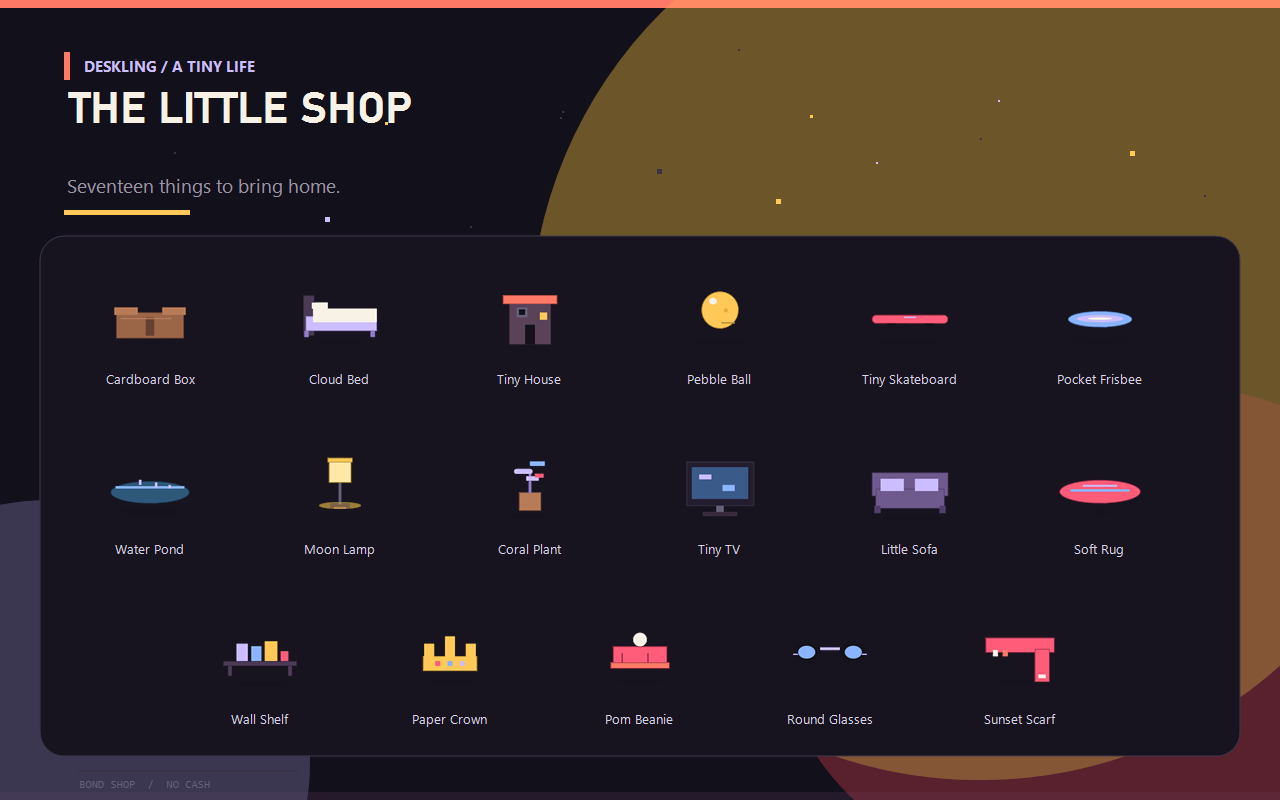
Press Ctrl+Alt+Shift+D, choose Shop, and use the menu. The shop has five tab rows — HOME, TOYS, AMBIENT, INSIDE, WEAR — followed by the items in that tab. TOYS holds the ball, skateboard, and frisbee; INSIDE holds the house furniture and TV; WEAR holds the crown, pom beanie, round glasses, and sunset scarf. INSIDE items require the Tiny House, and the TV requires PAL bond. Rebind's overlay menu is keyboard-driven (numbers and Enter), not mouse-clickable, because overlays are click-through.
| Item | Cost | Slot | Interaction |
|---|---|---|---|
| Pebble Ball | 10 | Toy | Bounces; play earns +4 bond. |
| Tiny Skateboard | 16 | Toy | Rides under the pet during play. |
| Pocket Frisbee | 20 | Toy | Flies in an arc; play earns +4 bond. |
| Cardboard Box | 18 | Home | A cheap hideout; naps inside. |
| Cloud Bed | 24 | Home | Soft sleep shape. |
| Water Pond | 35 | Water | Outdoor pond; separate from shelf decor. |
| Moon Lamp | 30 | Ambient | Small lamp on the shelf right of the TV. |
| Coral Plant | 35 | Ambient | Small planter on the shelf right of the TV. |
| Paper Crown | 12 | Wear | Cosmetic. |
| Pom Beanie | 15 | Wear | Cosy knit hat with a pom. |
| Round Glasses | 18 | Wear | Clever blue lenses. |
| Sunset Scarf | 14 | Wear | Warm scarf with a trailing end. |
| Tiny House | 70 | Home | Unlocks the interior; sleeps inside. |
| Tiny TV | 45 | Media | Watch action, glow, TV corner. Requires PAL. |
| Little Sofa | 30 | Seating | Interior seat. |
| Soft Rug | 18 | Rug | Interior floor comfort. |
| Wall Shelf | 22 | Shelf | Interior detail. |
Selecting an owned item equips it. Selecting the equipped item unequips it. Only one item per slot is active. Items the pet has not been bought yet show a price in the hint column. Owned but unequipped furniture stays in storage and is not drawn; equip it again from the INSIDE tab to place it.
Outside and inside
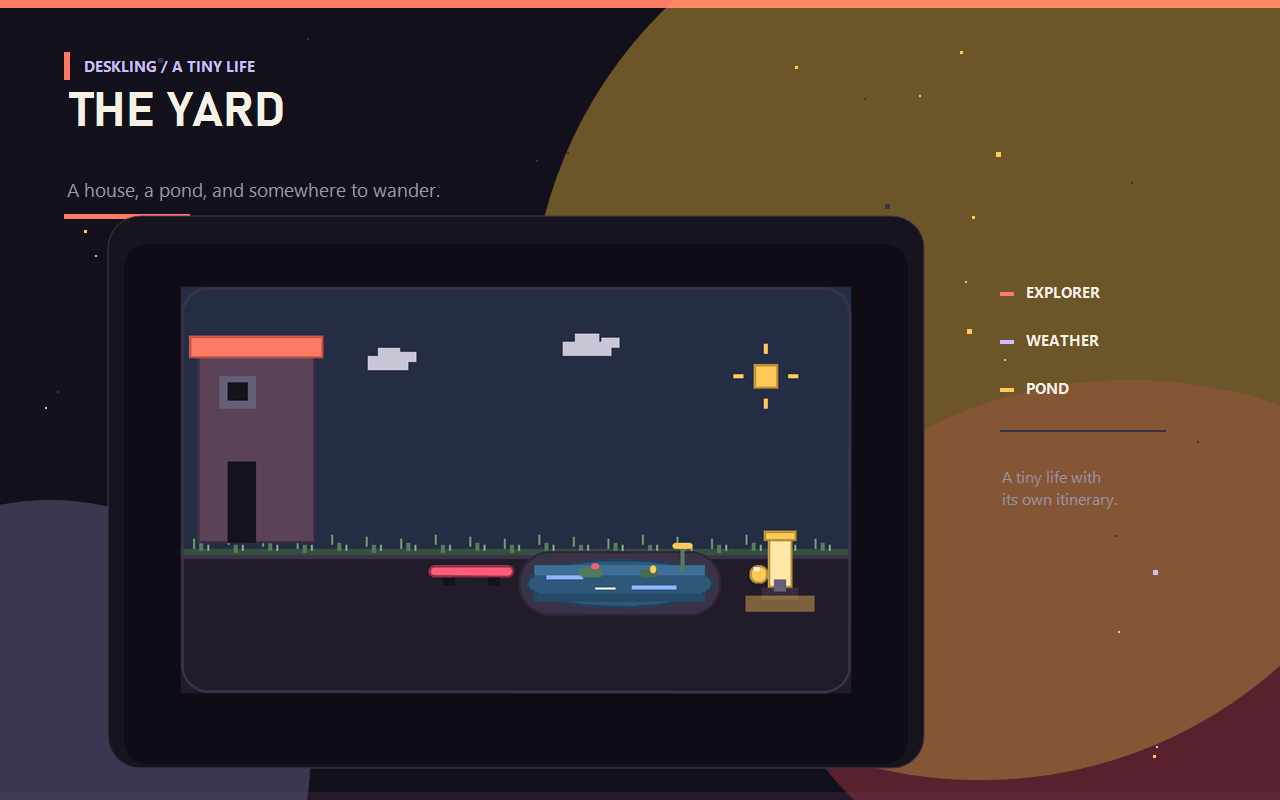
The yard is a horizontal 330 × 200 scene with the house, pond, toys, drifting clouds, a pixel sun, grass along the floor, and rain. The house is a wide 520 × 300 viewport over a 1300 px room: bedroom on the left, bathroom next, living room in the middle, and kitchen nook + front door on the right. The kitchen is 300 × 320, and the park and town use a fixed 520 × 260 viewport over a wider 760 px world. The camera pans inside the house, park, and town; the overlay itself stays anchored bottom-right and never jumps across the desktop.
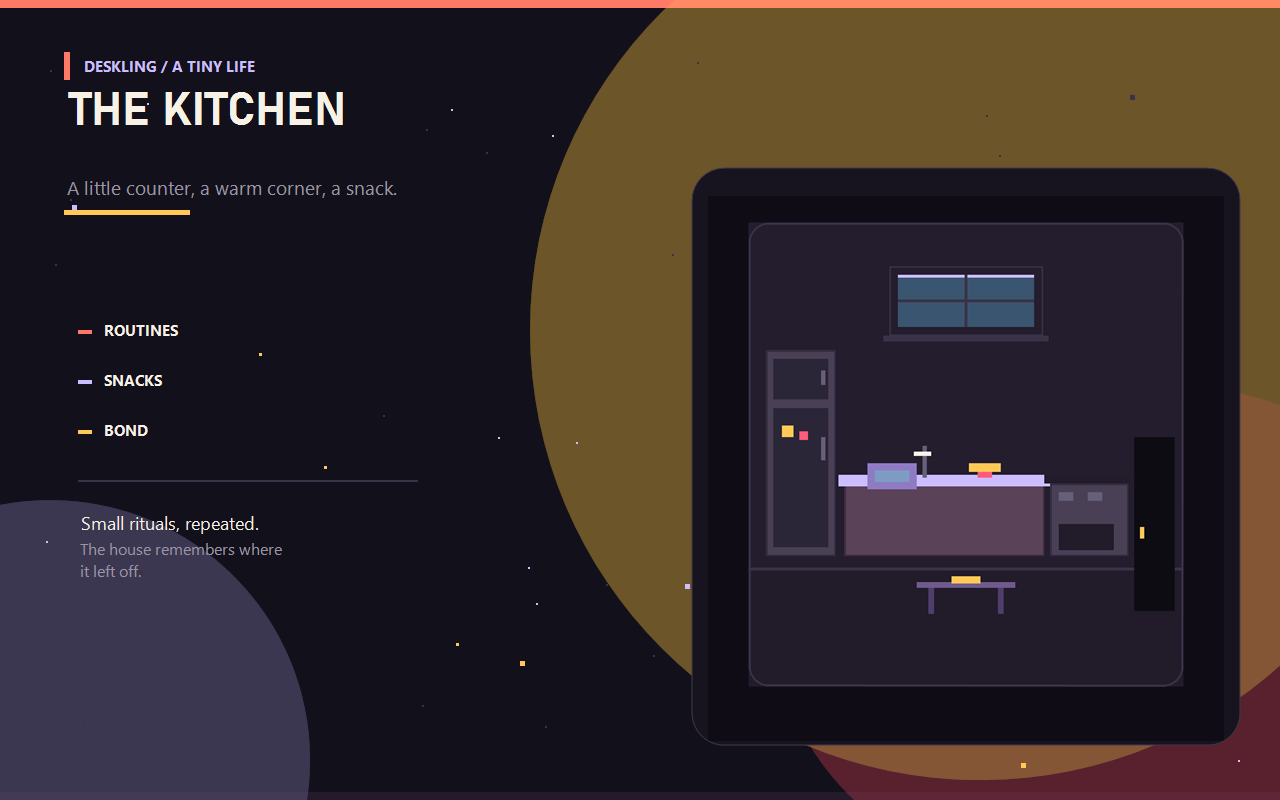
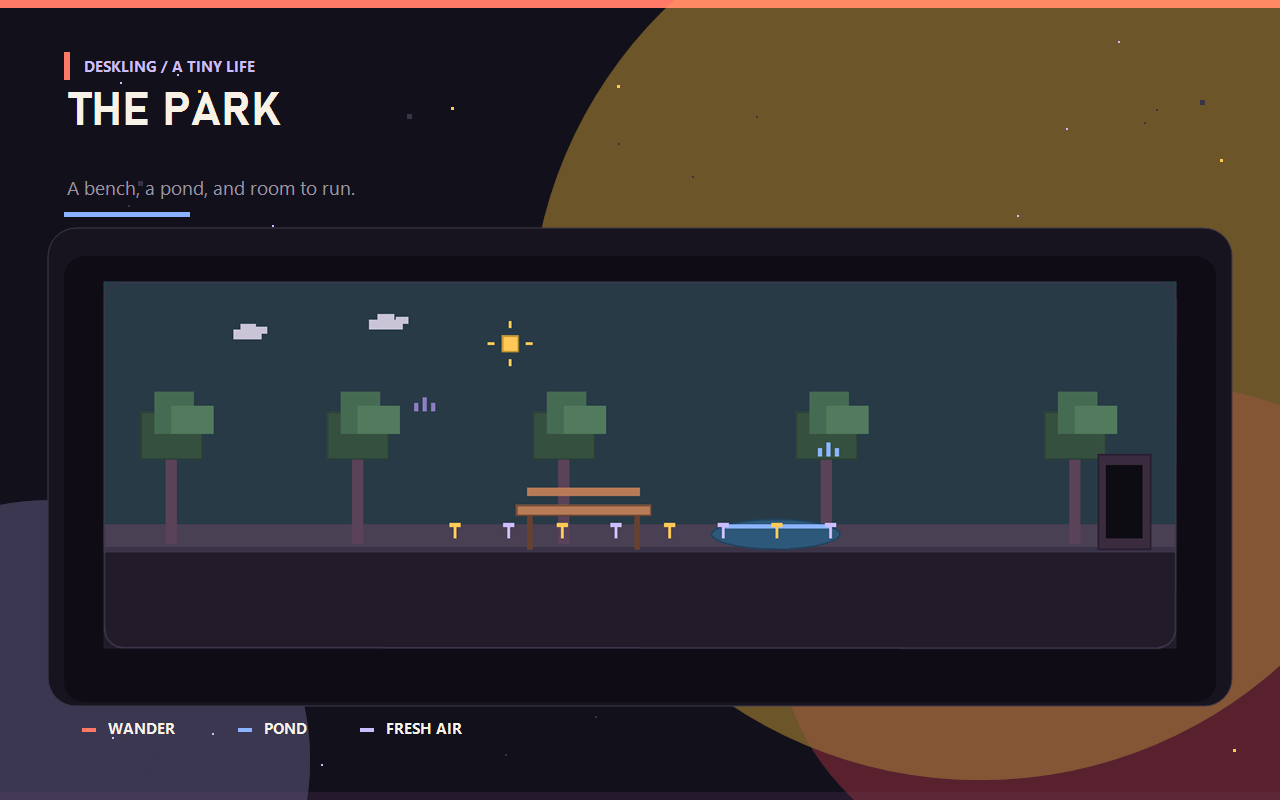
Choose Menu → Explore to travel between Yard, House, Kitchen, Park, and Town. The Yard menu also lists Park and Town directly. Choosing Kitchen while inside the house walks Pip to the kitchen nook instead of swapping to the old standalone kitchen scene. The Park has trees, a path, a bench, a pond, and small birds; with None, it has no background plate at all. The Town is a street with city buildings, storefronts, streetlights, moving cars, and a tiled sidewalk that ends flush with the last building on the right. It has no door: Pip simply walks off the edge to leave. Its shops are scenery, not a second shop system.
Explorer treats the House as part of the whole world. From the House it can go directly to Yard, Park, or Town; from Park or Town it can return to the House. It schedules a departure every 2–4 minutes and does not require idle time, so it keeps exploring while you work. The kitchen nook is a local walk, not a fake destination on the travel graph.
Choose Menu → Yard for the outdoor menu: yard/toy/ambient shops, play, drink, and the door inside. Weather changes on its own every so often; there is no manual rain switch. The pond has a stone lip, layered water, ripples, lily pads and reeds, and the skateboard rests to its left. Outside, the moon lamp becomes a small yard lantern and the coral plant becomes a flower box. The Water Pond has its own water slot, so it never replaces the lamp or plant, and it cannot be equipped indoors.
Doors use the current scene-swap method: Pip walks toward the door, reaches it, the surface changes to the next room size, and Pip continues from the linked doorway. There is no fade. With Explorer off, two minutes of idleness sends Pip into the house to nap; with Explorer on, it periodically visits any location instead, even while you are active.
Needs
The thought bubble now reflects the pet's current need, in priority order:
hungry...— energy is lowthirsty...— thirst is lowtoilet...— bladder is lowshower?— hygiene is lowattention?— it has been ignored too longhome?— the house is available and you are AFKtv?orplay?— it wants entertainmentball?/water?— a shop suggestionboop?— it just wants you
Needs decay once a minute. Attention rises from boops, play, snacks, and TV; thirst rises from drinking; energy recovers while sleeping. Bladder and hygiene rise after using the toilet or shower. Pip chooses the toilet, shower, bed, pond, ball, TV, or a book on its own when a need is strong enough.
Mood and energy
The header shows one of:
- CONTENT — nothing urgent.
- CURIOUS — you just typed.
- HAPPY — you just booped it.
- HUNGRY — energy is below 25.
- SLEEPY — it is napping.
Energy slowly drops while awake and recovers while asleep. A snack is the quick fix. Bond wallet is spendable; bond level is a keepsake and never goes down.
Settings
- Name — shown in the habitat and saved with the pet.
- Creature — Pip, Mochi, Sputnik, Nib, or Pepper.
- Backdrop — Glass (translucent), Card (solid), or None (fully transparent, with no nameplate or bars).
- Wander inside the room — on by default.
- Open the habitat — default Ctrl+Alt+Shift+D.
- Boop — default Ctrl+Alt+Shift+B.
- Show a tip when the script starts — on by default.
Changing a settings-panel value restarts the script, which is expected. The creature and backdrop are read when the script starts.
Privacy and footprint
- No pixel reads, screenshots, clipboard access, network calls, or file observation. Rebind reads the display size for the walking stage and the focused window's title/process only for the Desktop only toggle.
- Only one small JSON file is written:
deskling.json, beside the package. - The overlay is anchored bottom-right at 330 × 200 (yard), 520 × 300 (house), 300 × 320 (kitchen), or 520 × 260 (park/town viewport). House uses an internal camera over 1300 px; park and town use one over 760 px, so the window itself does not move. It redraws about eight times a second.
- Desktop only reads the focused window's title and process through
rb.system.window()to decide whether the desktop is showing. It does not read pixels, screenshots, or window contents. - It uses only rectangles and text. There are no runtime image assets or custom fonts.
- None removes the card, header, and bars entirely; only the creature, its shadow, and short animations remain.
- Overlays can be hidden by exclusive-fullscreen games. Borderless or windowed mode shows Deskling normally.
A note on the name
The name is cosmetic. Rename it in the Rebind settings, then restart the script; the habitat and saved bond stay with the package.
Requirements
- Rebind 3.9.0 or newer.
- No additional permissions.